Quick takeaways
- For printed QR campaigns, prioritize branded short links, QR generation from the short link, and actionable analytics.
- Use different short links per placement (window sign vs. flyer) so analytics can tell you what’s working.
- Choose a setup that stays editable over time so you can update destinations without reprinting materials.
- Rabetly combines short links, QR codes, real-time analytics, branded domains, profile pages, and PDF sharing in one platform.
QR codes are everywhere in local marketing: printed menus, table tents, window decals, posters, and event flyers. But the part that determines whether your campaign is measurable (and fixable) isn’t the QR graphic—it’s the link behind it.
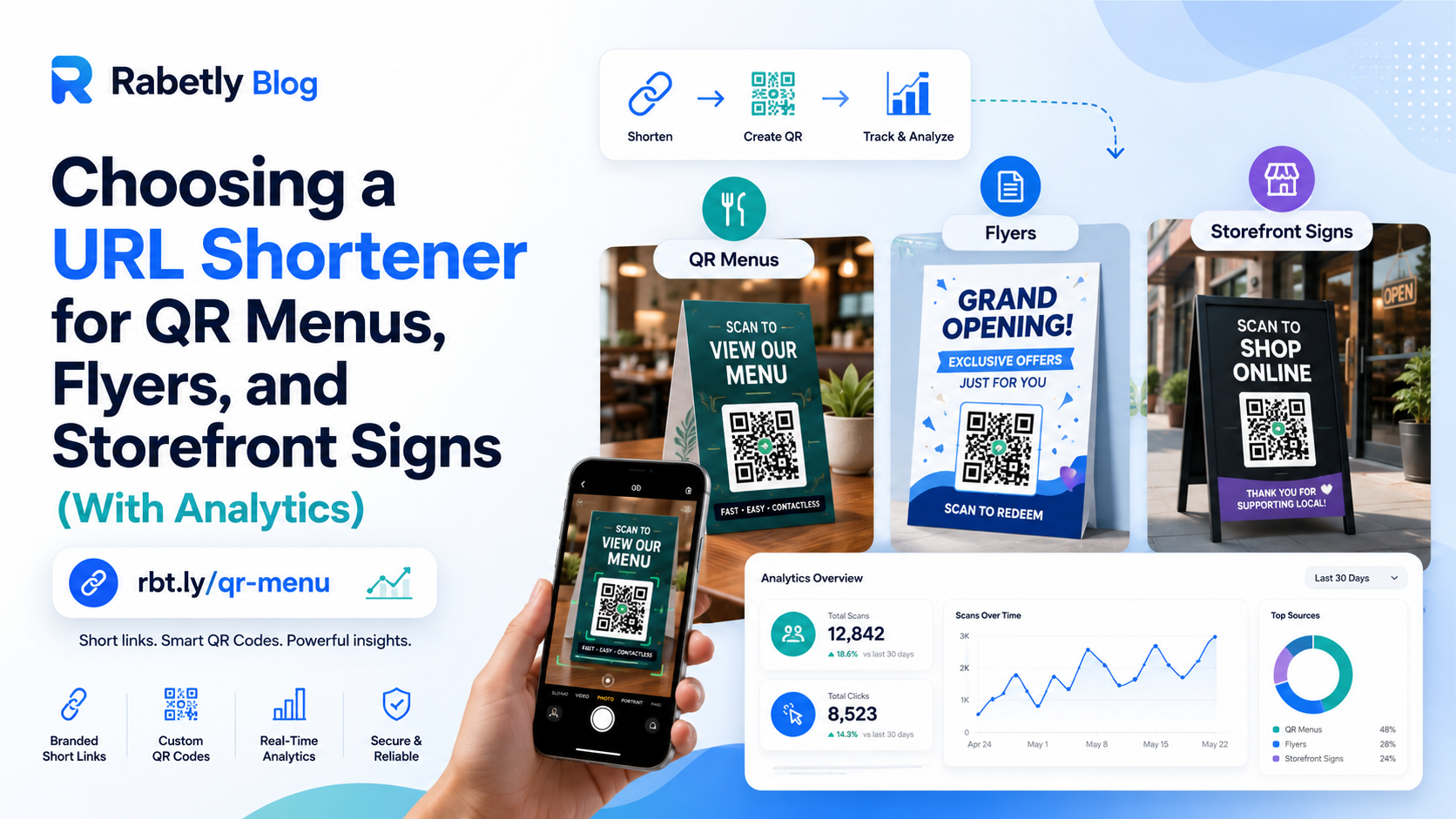
For small businesses, the right URL shortener should let you: (1) create a clean, branded short link, (2) generate a QR code from it, and (3) see analytics that tell you what’s working—without rebuilding everything when details change.
What to look for in a QR-first URL shortener
1) Branded short links (not generic ones)
Generic short links can look suspicious on a printed sign. A branded domain helps customers trust the QR destination and keeps your marketing consistent across channels.
2) QR codes generated from the short link
You want the QR to point to the short link, not the long URL—so it’s easier to manage, easier to measure, and easier to swap destinations later if needed.
3) Analytics you can act on
At minimum, look for click tracking that updates in real time (or near real time), so you can compare placements (front door sign vs. table tent) and spot what’s underperforming.
4) Easy link management at small-business scale
If you’re running multiple promos, locations, or seasonal menus, you’ll need a simple way to organize links and avoid “which QR is this?” confusion.
5) Reliability and longevity
Printed QR codes live a long time. Choose a provider that’s built for link management over the long haul. (For context, Google’s URL shortener has been deprecated and many teams migrated to alternatives.)
6) Room to grow without switching tools
Small businesses often start with “short link + QR,” then quickly need more—like a link-in-bio page, PDF sharing, or branded domain control. Picking a platform that supports these reduces tool sprawl.
Practical rule: if you’re printing it, assume you’ll need to change it later. Your setup should let you update destinations without reprinting thousands of flyers or menus.
Why Rabetly fits QR-driven small business marketing
Rabetly is built around the workflow small businesses actually use: create branded short links, generate QR codes, and track clicks in real time—then expand into other shareable assets as needed.
- Branded short links: create clean, recognizable links for print and social.
- QR code generator: generate QR codes tied to your short links.
- Link analytics: track clicks in real time to understand which placements and messages work.
- Branded domain manager: keep control of your domains for consistent marketing.
- Link-in-bio profile builder: publish a simple profile page when you need one destination for multiple offers.
- PDF sharing tool: share menus, brochures, catalogs, or price lists with a trackable link.
If you’re comparing options, note that many popular tools position themselves around link management plus analytics; for example, Zapier’s roundup describes Bitly as a business-grade shortener and mentions QR codes for short links. Rabetly focuses on the same core needs—branded links, QR generation, and analytics—while also covering common small-business assets like profile pages and PDFs.
Real-world setups (menus, flyers, and signs)
QR menu that changes seasonally
Create one branded short link (e.g., /menu) and generate a QR from it. When your menu updates, point the destination to the new PDF or page—while keeping the same printed QR.
Flyer campaign with multiple placements
Use different short links for each placement (coffee counter, community board, partner store) and generate a QR for each. Analytics help you see which location drives the most scans and clicks.
Storefront sign for “hours + directions”
Set a short link that points to your directions page (or a profile page that includes hours, address, call button, and top offers). Track clicks to validate foot-traffic impact over time.
Event booth QR for lead capture
Create a QR that goes to a simple landing page (or link-in-bio style page) with one clear CTA. Post-event, analytics show how many people engaged during the event window.
How to get started (a simple, repeatable workflow)
Create a branded short link
Choose a readable slug that matches the printed context (e.g., /menu, /summer, /vip, /directions).
Generate a QR code from that short link
Use the QR anywhere you print—menus, flyers, posters, packaging inserts, and storefront decals.
Use analytics to validate placement and messaging
Check clicks after you deploy. If one placement is weak, change the offer or call-to-action on that placement—not the entire campaign.
Scale with a clean structure
Keep a naming convention (e.g., /menu-dinein, /menu-takeout, /flyer-july) so you always know what each QR is tied to.
Add a profile page or PDF when it fits
If you need one destination for multiple links, publish a link-in-bio style page. If you’re distributing a menu or brochure, share a PDF with a trackable link.
Tip for print: keep the short link human-readable near the QR code. If someone can’t scan, they can still type it.
Checklist
Branded domain support
Can you use your own domain so printed links look trustworthy and on-brand?
QR code generation from short links
Can you generate QR codes that point to your short links (not long URLs)?
Analytics that match your use case
Do you get clear click tracking you can compare across placements and time windows?
Easy organization and naming
Can you keep a clean structure for campaigns (menus, flyers, locations, seasons)?
Long-term reliability
Will your links keep working for months/years—important for anything printed?
Growth features you’ll actually use
If you later need a profile page or trackable PDFs, can your platform handle it without switching tools?
Frequently asked questions
How do I shorten a URL for a QR code?
Create a short link first, then generate a QR code that points to that short link. This makes the QR easier to manage and lets you measure performance through link analytics.
Is Google URL shortener dead?
Google’s URL shortener was discontinued. If you still rely on old goo.gl links, it’s a good idea to transition to an alternative URL shortener so your printed and shared links remain reliable.
What should small businesses track for QR campaigns?
Track clicks (or scans that resolve as clicks) by placement and time period—for example, storefront sign vs. table tent vs. flyer. This helps you decide which locations and messages to keep, change, or scale.
Do I need a branded domain for QR codes?
It’s not required, but it’s strongly recommended for small businesses. A branded domain improves trust, looks better on printed materials, and keeps your links consistent across channels.
Make your QR campaigns trackable with Rabetly
Create branded short links, generate QR codes, and track clicks in real time—then expand into profile pages and PDF sharing as your campaigns grow.
Try Rabetly